
Sharpen – College Exam Prep
McGraw-Hill Global EducationEducation
4.2229.00 Reviews
- Version
- 4.7.4
- Installs
- 100.00K
- Age Rating
- Everyone 10+
Screenshots
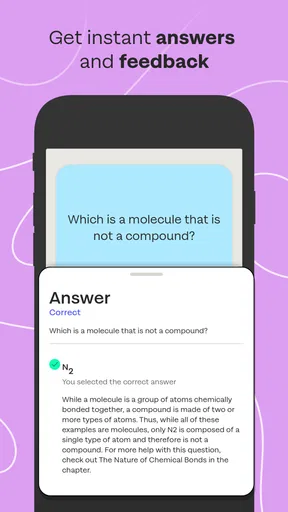
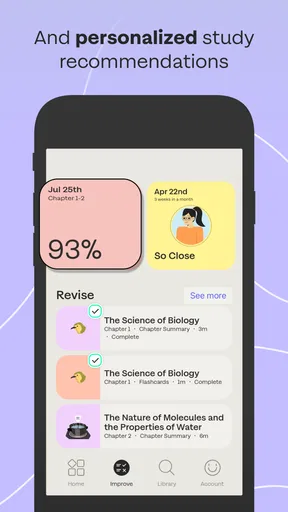
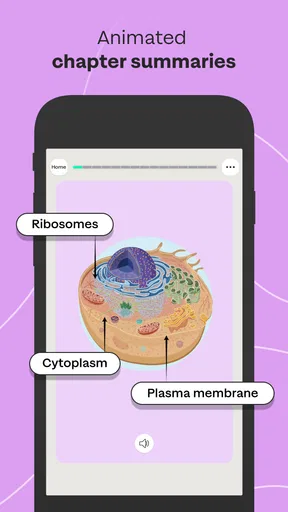
Our Review of Sharpen – College Exam Prep
 Analysis by Appyee
I came away from Sharpen with the impression that it is best understood as a focused study companion rather than a complete replacement for a textbook, lecture, tutor, or full learning platform. It is an education app from McGraw-Hill Global Education, aimed at college exam preparation through short study activities and personalized practice. That combination makes sense for the moments when I have ten minutes, a phone in my hand, and a specific subject I need to review instead of an entire evening available for studying.
The app is free to install, with optional in-app purchases ranging from $17.99 to $89.99 per item. It has an Everyone 10+ content rating and runs on Android 8.0 or later. At the time of my review, the current version is 4.7.4. Those details matter because the experience is most useful when I can open it regularly on the device I already carry, but the paid content means I would still check exactly what a purchase covers before treating the app as my main exam resource.
How Sharpen fits into real college study routines
The strongest idea here is the bite-sized format. Traditional exam preparation often fails not because students lack material, but because the material is too large to approach. A chapter, a lecture recording, or a long set of notes can feel like a commitment. Short activities reduce that initial resistance. I can use a small session to warm up before deeper study, revisit a topic after class, or test myself while waiting for a bus.
That does not mean short practice is automatically enough. I would use Sharpen for retrieval and reinforcement, then return to class notes, assigned readings, worked examples, or longer problem sets when I need depth. The app is particularly appealing for maintaining contact with a subject between larger study blocks. It gives a quick way to discover which areas feel familiar and which ones still need serious attention.
The personalization is also important, although I would treat it as guidance rather than a perfect diagnosis of my knowledge. A recommendation made from brief answers can point me toward useful review, but it cannot always understand why I missed something. I might choose the wrong option because I misread a question, forgot a definition, made a calculation error, or misunderstood the underlying concept. Sharpen can help expose the weak point; I still need to investigate the reason behind it.
For that reason, I found the app more valuable when I used it actively. Instead of tapping through questions as quickly as possible, I paused after an error and wrote a one-line explanation in my own words. If the mistake involved a formula, I opened my notes and worked through a fresh example. This turns a short mobile interaction into a bridge toward more meaningful study rather than a simple streak of correct answers.
Where the short format works best
There are several situations where I would recommend trying it. A student who has just finished a lecture can use a short session to see whether the main ideas survived the trip from classroom to memory. Someone preparing for a broad exam can use it to rotate among topics instead of spending every session on the easiest chapter. It can also serve as a low-pressure starting point on a day when motivation is poor.
One realistic routine would be to use Sharpen during a ten-minute break between classes, mark the concepts that caused hesitation, and then spend a longer evening session on only those concepts. That is more efficient than rereading everything from the beginning. The app becomes a filter: it helps decide where my limited study time deserves to go.
I would be more cautious about relying on it for subjects that demand lengthy written solutions, laboratory interpretation, design work, or extended argument. Bite-sized prompts can support those subjects, but they do not reproduce the process of constructing a full answer. A student in a calculation-heavy course should pair the app with problems that require showing every step. A student in an essay-based course should pair it with outlining and writing practice.
Using it when the connection is not ideal
Connectivity shapes the experience because a mobile study tool is only convenient when it responds at the moment I need it. I would expect the smoothest use when the phone has a stable internet connection, especially while opening study material, moving between activities, or receiving personalized content. On a strong connection, the app fits naturally into short gaps. On an unreliable one, even a brief study session can become an exercise in waiting.
This is the first trade-off I would explain to a friend: do not assume that every part of a connected study experience will behave like a downloaded document. If I were heading into a place with weak reception, I would open the app beforehand, review what is available, and avoid planning an important last-minute study session around it. I would also keep conventional notes or a textbook nearby for the moments when the network becomes the limiting factor.
That preparation is especially useful before travel, a long commute, or a crowded campus period when mobile service may be inconsistent. I would not begin a paid study plan immediately before an exam without first testing the normal workflow in the locations where I expect to use it. A few minutes of practical checking can reveal whether the app fits my routine better at home, on campus, or only when connected to dependable Wi-Fi.
When a session is interrupted, I prefer a simple recovery habit: stop trying to force repeated reloads, note the topic I was working on, and switch temporarily to an offline resource I already trust. Once the connection returns, I can resume without turning a technical interruption into lost study time. This is not a criticism unique to Sharpen; it is a reminder that convenience and network dependence often arrive together in mobile education.
Making it work on a phone
The phone-first setting changes how I study. A small screen encourages quick decisions, which is useful for recognition and recall but less comfortable for comparing several pages of notes or analyzing a long explanation. I found it better for focused bursts than for an extended study marathon. After several short rounds, I would rather move to a larger screen or paper if I need to organize a complicated topic.
Notifications and interruptions are another practical concern. A study activity that takes only a few minutes is easy to start, but the same phone also contains messages, social media, and other distractions. I get more from Sharpen when I put the device in a distraction-reduced mode and decide in advance what I want from the session. Otherwise, the app can become something I open briefly and abandon before the review has any effect.
My preferred mobile workflow is deliberately narrow. I choose one subject, complete a small amount of practice, and record the concepts that deserve follow-up. I do not try to use the phone as my entire study desk. That distinction prevents the app from being judged unfairly for not replacing every other learning tool, while also preventing me from mistaking quick exposure for mastery.
Students often ask whether a free app is enough to prepare for a whole course. In my view, Sharpen can be enough for a particular layer of preparation: frequent recall, quick diagnosis, and keeping important concepts active. It is not enough by itself when the course assessment expects original problem solving, writing, practical work, or detailed application. The sensible answer is to use it as the short-session part of a wider plan.
What happens when a session goes wrong
Failure in a study app is not limited to a crash. A question can feel ambiguous, a recommendation can seem poorly timed, or a connection can disappear just as I am making progress. The most useful response is to separate the technology problem from the learning problem. If the screen does not load, I need recovery steps. If I answer incorrectly, I need an explanation and another example. Treating both situations as the same kind of failure wastes time.
I would begin by checking the connection, reopening the activity, and confirming that the app is updated to the current version available on my device. Since the listed minimum is Android 8.0, I would also make sure the phone is compatible before blaming the app for behavior caused by an older operating system. If an issue continues, I would record the course area, the action that triggered it, and whether the problem happens repeatedly. That makes any support request more useful than simply saying that the app is broken.
There is also a learning recovery method worth building into the routine. When I miss a question, I avoid immediately repeating it until I guess correctly. Instead, I identify the exact confusion, review the relevant source, and return later. Immediate repetition can create the illusion of improvement because the wording is still fresh. Delayed return gives a more honest check of whether I understood the idea.
The same principle applies to personalized recommendations. If the app keeps sending me toward a topic I already understand, I would not blindly follow every suggestion. I would compare its direction with my syllabus, recent assignments, and instructor guidance. Personalization is helpful when it saves decision-making, but my course requirements remain the final authority.
Keeping mobile data under control
For students managing a limited data plan, I would use Sharpen thoughtfully rather than leaving every study decision to the phone. The most practical approach is to do heavier browsing or preparation over dependable Wi-Fi, then use mobile sessions when necessary. I would also avoid repeatedly reopening an activity during a poor connection, since failed loads can turn a short review into a frustrating sequence of retries.
I would pay attention to battery use as well. A phone used for studying may also be needed for transport, communication, authentication, or an emergency later in the day. Keeping the screen brightness reasonable and carrying a charger can matter more than squeezing in one extra session. The app is designed around convenience, but convenience still depends on the condition of the device hosting it.
Before paying for anything, I would make a small trial plan. I would confirm that the available material matches my course, use the free access long enough to understand the interaction style, and decide whether the short format genuinely improves my routine. The purchase range is broad enough that the decision should be based on the specific content and expected use, not simply on the fact that the initial download costs nothing.
This is also where Sharpen differs from common alternatives. Flashcard apps usually give me more control over creating, importing, and organizing my own material. A textbook or publisher question bank may offer greater depth and a closer match to assigned chapters. General video platforms can explain a difficult concept more fully, while a study group can expose misunderstandings that a solo quiz will not. Sharpen’s advantage is the combination of guided, brief practice and personalization; its weakness is that it should not be expected to replace those deeper or more collaborative options.
Who will benefit, and who should choose something else?
I think the best match is a college student who struggles with consistency, has frequent small gaps in the day, and wants help deciding what to review next. It also suits someone who already owns detailed course resources but rarely uses them because starting feels difficult. Sharpen can lower that starting barrier and turn scattered minutes into repeated contact with the material.
I would recommend caution for a student who wants complete control over every question, prefers long-form explanations, or needs an exact replica of a professor’s exam style. In those cases, a dedicated question bank, instructor materials, or a structured tutoring service may be a better primary choice. The app can still complement those resources, but it may not be the tool that deserves most of the study budget.
The public response suggests that the app has found a real audience: it holds a 4.2 average from around 910 ratings, with over 100 thousand installs and around 229 written reviews. I see that as evidence of meaningful interest rather than proof that it will suit every course or learner. Education apps are highly personal; the right test is whether its practice changes what I do after an incorrect answer and whether I return often enough for the short format to matter.
Its Everyone 10+ rating makes the app broadly approachable, but the intended use is clearly academic rather than general entertainment. I would introduce it to a younger learner only with an appropriate course goal and adult guidance around purchases. For college students, the more relevant question is not age suitability but academic fit: does the content support the subjects, level, and assessment style in front of me?
My final view on the connected study experience
After using Sharpen as a companion rather than a complete school in my pocket, I found its value clearest in the spaces between major study sessions. It gives me a practical way to start, check recall, and identify what deserves deeper work. The mobile format is its main strength, but also its boundary: short practice is convenient, while serious mastery still requires time, context, and other resources.
Connectivity is part of that judgment. I would use it confidently in places with dependable service, prepare ahead before entering weak-signal areas, and keep notes or course materials available as a fallback. I would not plan my only exam preparation around an app that is most useful in brief connected moments. That is not a reason to dismiss it; it is the right way to position it.
My recommendation is to try Sharpen if you want a structured, personalized nudge toward regular college revision. Start with a real course, use each short session to identify a specific follow-up task, and judge the app by whether it improves your next study decision. If you need deep explanations, extensive written practice, or guaranteed access without relying on a connection, make another resource your foundation and let Sharpen handle the quick review layer.
Verdict
Strengths of Sharpen – College Exam Prep
- Focused practice for college entrance and academic exams
- Short study sessions make revision easy to fit into a busy schedule
- Progress tracking helps identify weaker subjects over time
- Practice questions can improve speed and exam familiarity
- Useful for reviewing key concepts away from a desk
Limitations of Sharpen – College Exam Prep
- Some advanced features may require a paid subscription
- Question coverage can vary depending on the selected exam
- Explanations may feel too brief for difficult topics
- Requires consistent self-study; it does not replace classroom teaching
- Offline access may be limited for certain lessons or tests
Other Releases by McGraw-Hill Global Education
View All
ReadAnywhere
Books & Reference3.3
Similar Picks in This Category
View All
Duolingo: Language Lessons
Duolingo4.7

Google Classroom
Google LLC2.8

Unacademy: Learn & Crack Exams
Unacademy3.2

Bible App for Kids
Life.Church4.4

Cake - Learn English & Korean
Cake Corp.4.7

Brainly: AI Homework Helper
Brainly4.5
Frequently Asked Questions
What is Sharpen – College Exam Prep, and who is it designed for?
Sharpen – College Exam Prep is a study and revision app designed to help college and university students prepare for exams. It can be useful for reviewing course material, organizing study sessions, and reinforcing important concepts before test day. Its usefulness may depend on the subjects and academic content available in the app, so students should check whether it matches their specific course or exam requirements.
What subjects and exam topics are available in Sharpen?
The available subjects, courses, and exam topics may vary depending on the version of Sharpen and the content provided by the developer. Before downloading, students should review the app’s subject list and description to confirm that their field of study is supported. If the app focuses on selected college exams, it may not cover every university, curriculum, textbook, or country-specific syllabus.
Does Sharpen – College Exam Prep replace textbooks, professors, or official study materials?
No. Sharpen should be considered a supplementary study tool rather than a complete replacement for lectures, textbooks, class notes, professors, or official exam guidelines. The app can help with revision and practice, but students should always verify important information against trusted academic sources. For high-stakes exams, combining the app with a structured study plan and course-specific materials is recommended.
Is Sharpen – College Exam Prep free to download, or does it require a subscription?
The app’s pricing can depend on the platform, region, and features included in the current release. Some study apps offer free access with limited content, advertising, or optional premium tools, while others may require a subscription or in-app purchase. Check the Google Play Store or Apple App Store listing carefully for trial terms, renewal conditions, and which features are available before committing.
Does Sharpen work offline, and what privacy information should students consider?
Offline availability may differ between features, so users should not assume that every lesson, quiz, or progress tool will work without an internet connection. An online connection may be required for account access, synchronization, updates, or premium content. Students should also read the app’s privacy policy to understand what personal, academic, or usage data may be collected and how it is handled.
